Hello and welcome to KubeZombies!
If you’re here, chances are you’ve heard about Kubernetes before and would like to have a better understanding of it. If that is the case, this series is for you. You’ll learn and test Kubernetes core concepts by building a small visual app - with zombies.
Who is this for?
This tutorial is perfect for you if you:
- Have basic coding experience (simple web apps are enough)
- Want to understand Docker and Kubernetes through hands-on building
- Prefer visual, interactive explanations over dry documentation
- Like creative approaches to technical learning
Whether you’re a complete Kubernetes beginner or someone who knows the theory but wants practical experience, welcome aboard!
What we’re building
By the series end, you’ll have a fully functional zombie apocalypse simulator running on Kubernetes, including:
- React based visual interface showing the battle
- Zombies (represented by disposable Pods) that respawn endlessly
- Named survivors (represented with StatefulSets) with persistent inventories
- Visual feedback from when Pods are created and destroyed
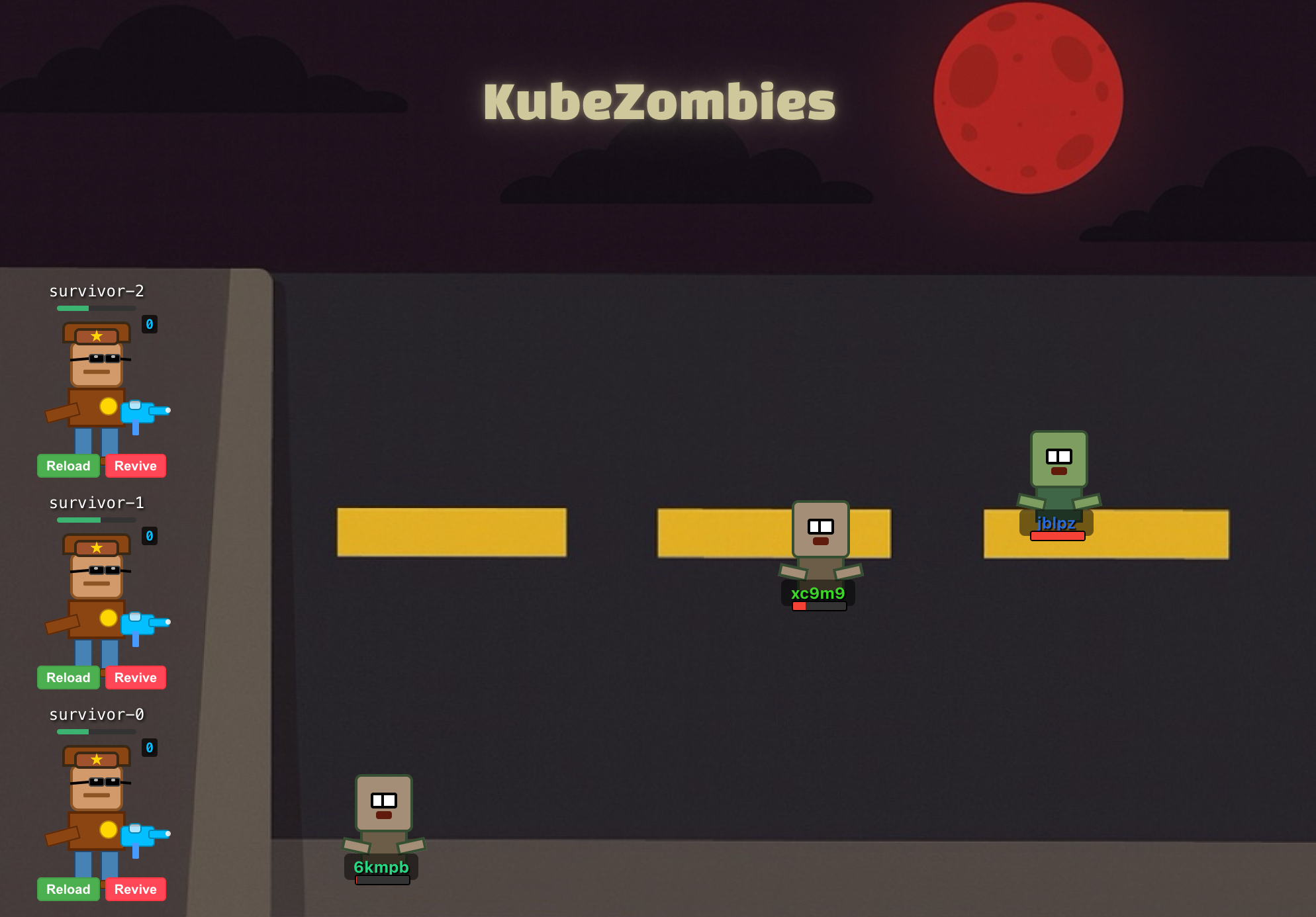
But why zombies?
Because Kubernetes concepts like “Pods dying and being replaced” or “stateless vs stateful workloads” make perfect sense when explained through a zombie based story. Plus, it’s way more fun than yet another e-commerce tutorial.
What you’ll learn
In this post, you’ll learn to:
- Explain the difference between Deployments and StatefulSets
- Understand what a Pod is and how they behave
- Relate Kubernetes concepts to a familiar, story-based analogy
- Visualize a simple Kubernetes project architecture
And by the end of the series, you’ll be able to:
- Build and deploy React and Express apps using Docker
- Master core Kubernetes concepts through hands-on practice
- Run a complete Kubernetes cluster locally with minikube
- Debug and monitor Pods
- And more!
Describing the project
Let’s go into what exactly we’re building and how it relates to Kubernetes.
Zombies and Deployments
Zombies, mindless and simple creatures whose sole purpose is to find and eat people. Imagine any classic zombie film - hundreds of zombies marching together to attack the living. A single zombie is not dangerous, but a horde is a different story.
You don’t care about the name or ID of a single zombie, what matters is the horde. If a single zombie goes down, another zombie will take its place.
On the other hand, Deployments. One of the core Kubernetes building blocks. Their primary role is to ensure that exactly N instances (or, in Kubernetes terms, Pods) of your application are running at all times. For a Deployment, Pods are disposable entities: If a single Pod goes down, another Pod will take its place
I guess you can already see the parallels:
- If a zombie/Pod dies, it is replaced with a new one
- Zombies/Pods don’t have special identifiers
- Once they’re gone, there is no going back
In the simulation, a horde will be represented as a Kubernetes Deployment, therefore, a single zombie will be represented as a Pod.
1 Deployment = 1 horde
1 Pod = 1 zombie
 Horde of 3 zombies - as Kubernetes objects (left) vs in-world zombies (right)
Pods managed by Deployments always have random names, hence zombies names will also be random texts like in the image
Each zombie Pod will be running an instance of our zombie app which will be responsible for the zombie’s behavior.
Zombies will:
- Be able to move, always looking for fresh meat
- Have some amount of HP, so survivors can damage them
- Damage survivors if they are not killed first
In real world Kubernetes, Deployments are ideal for stateless workloads like web servers, APIs, or worker processes - anything where individual instances don’t matter, as long as the overall count is maintained. You don’t care if a request is processed by Pod A or Pod B, only if it was processed.
Survivors and StatefulSets
Let’s go back to our classic zombie film. Survivors are the protagonists - you know their names, backstory, and you care about them. They also have weapons and ammo, and they don’t like zombies. Personal history matters.
Is there anything in Kubernetes we can use to model our survivors? Yes - StatefulSets. They are very similar to Deployments, with one big difference: the instances are unique and not disposable.
StatefulSets keep track of the identity of each Pod they manage. Unlike Deployments, where any Pod is interchangeable, Pods in a StatefulSet have a persistent identity and persistent storage.
If any of our survivors go down, it’s not as simple as replacing them with “New Survivor #24”. The replacement survivor would be a different person, and the rest of the team would notice.
So, survivors will be Pods managed by a StatefulSet:
- Each survivor Pod will have a fixed, unique name
- They’ll each have their own inventory and stats, stored in a way that stays intact even if the Pod is restarted
- If they “respawn” they’ll come back as themselves, not as a random new person
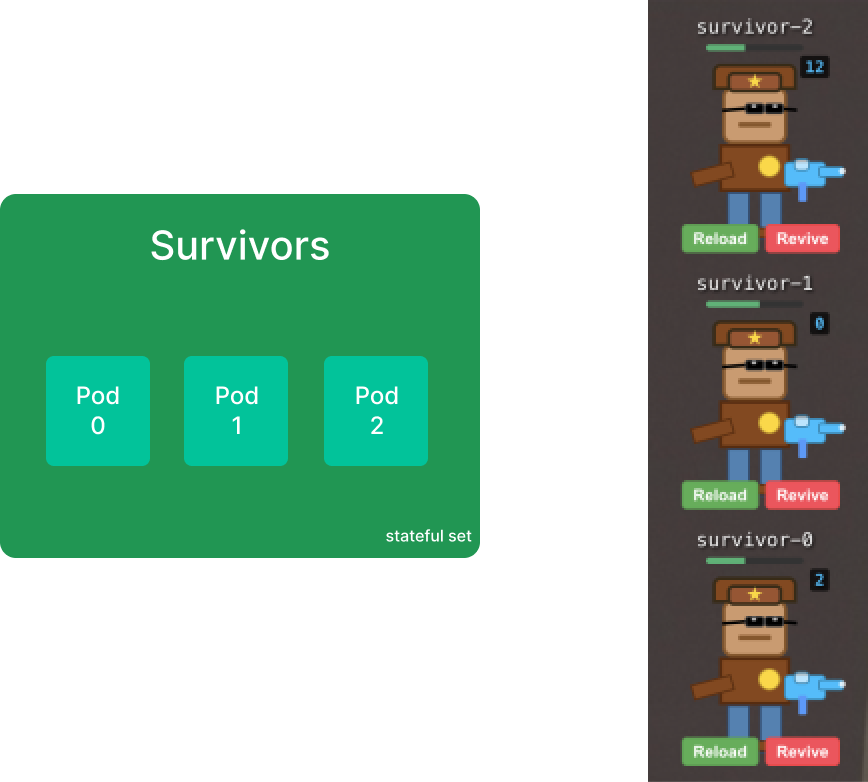 Survivors group - as Kubernetes objects (left) vs in-world survivors (right)
Pods managed by StatefulSets always have predictable names,
usually in the format of <stateful-set-name>-num. With num being an ascending integer starting from 0.
In real Kubernetes, StatefulSets are used for workloads like databases, distributed caches, and any application that needs stable network IDs and persistent data.
If you use StatefulSets for database replicas, you don’t want everything to reset and lose its stored data when Pods restart - each replica can contain unique data that we don’t want to lose.
The World - Visualizing the Apocalypse
So, we have zombies and survivors. There is only one more thing to add: a UI to see the simulation. This app needs to be minimal - no zombie or survivor logic. Ideally, it should only display information without any extra persistent state. A standard React app with some minimal API will do the trick.
The Big Picture
We’ve already looked at each component by itself - the world, survivors, and the horde. Now let’s step back and think about how they interact.
The world app needs to know which survivors and zombies are alive. We’ll implement this in the simplest way possible: polling.
Every few seconds, each Pod sends a message saying “I’m still alive, my data is position: 400,200, health: 50, ...”. If the world stops hearing from a Pod for too long, it assumes the zombie died and removes it from the simulation.
This is the core interaction of the whole simulation, but not the only one:
- Zombies can attack a specific survivor - when they spawn, they target one survivor and will try to eat them
- Survivors fight back against the horde - survivors don’t attack an individual zombie, but the horde as a whole.
With all the parts explained, the big picture comes together in this diagram.
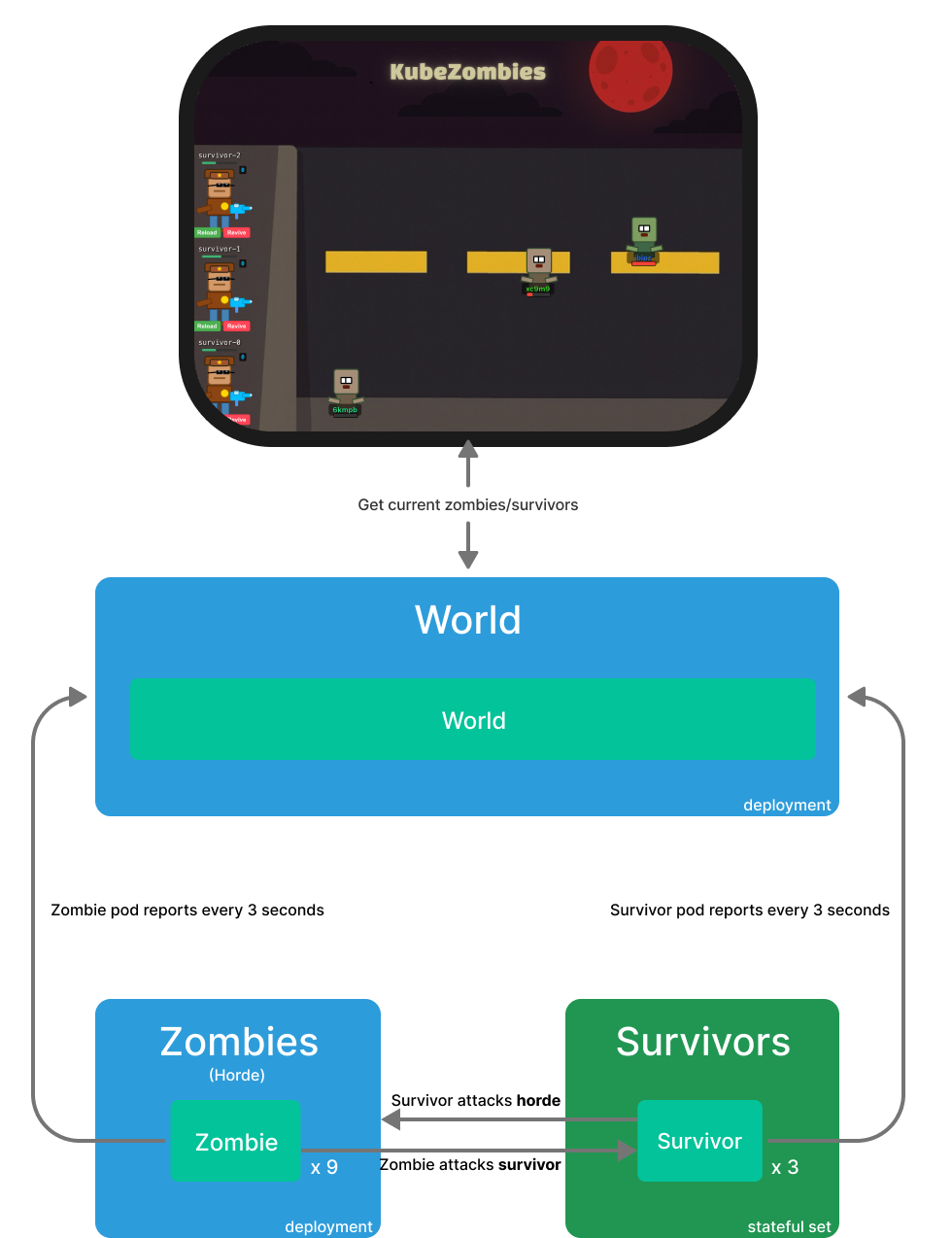 KubeZombies - Components and interactions diagram
Progress checkpoint
In this post, we explored the parallels between Kubernetes and our zombie world. We also introduced the three core components of our upcoming experiment
- The world: a React application that visualizes our chaotic universe
- The horde: a stateless Deployment that marches our horde forward
- Survivors: a resilient StatefulSet struggling to hold on to memories and resources
We also walked through how these components interact and tied everything together in a simple diagram, which we’ll see again in the future blog entries.
Coming next: We’ll build the world app and prepare the world application to handle our incoming zombie and survivor components.
Want more posts like this? Follow along as we bring this zombie apocalypse to life with real Kubernetes deployments!